
How to Run Ads on Instagram Without Facebook: What Works
What actually works when you want to run Instagram ads without a Facebook account, which setups are blocked, and how to check limits before you commit.
ADS Beast editorial teamPublished 11 min read

You can run ads on Instagram without a personal Facebook profile, but not without Meta's advertising system. Instagram placements are bought through Meta, so you need a professional Instagram account connected to a Meta business portfolio. A third-party tool can launch and manage the campaign for you, yet delivery still happens on Meta's side.
In short:
- Instagram ads are delivered by Meta, whatever interface you use to buy them.
- A professional (business or creator) Instagram account is the practical entry point.
- Meta Ads Manager now sits inside Meta Business Suite, so the old Facebook-only flow is not the only door.
- Tools that connect through the Instagram Graph API can run campaigns without a Facebook Page in some setups.
- No tool can bypass Meta's review, budget rules, or learning phase.
Does Instagram advertising require a Facebook account?
No, it requires a Meta advertising account. Those are different things. Meta's ad system is one platform that serves Facebook, Instagram, Messenger, and the Audience Network, and Instagram placements are simply inventory inside it. You need a way to authenticate into that system and an identity for the ad to run under.
That identity is usually one of two things: a Facebook Page linked to your business portfolio, or a professional Instagram account that the tool treats as the ad's source. The second path is what most people mean when they search for how to run ads on Instagram without Facebook.
What you cannot do is buy Instagram placements from a tool that only speaks the Facebook Marketing API and has no Instagram business account connected. In that setup the tool has nothing to attach the ad to.
Which setups let you run Instagram ads without a Facebook profile?
Three setups work in practice, and they differ in how much of the work you do yourself.
- Meta Business Suite with a professional Instagram account. You create the portfolio, connect the Instagram account, and build the campaign in Ads Manager or Business Suite. Meta's own interface is the same one third-party tools talk to.
- A third-party ads platform that supports Instagram as a standalone channel through the Instagram Graph API. The tool connects to your Instagram account, prepares the campaign, and pushes it into Meta's delivery system.
- A Meta business portfolio with a linked Facebook Page, where the Page is a business asset rather than your personal profile. This is not Facebook-free, but it is free of your personal account.
The distinction that matters is between a personal Facebook profile and a Facebook Page. Many people who want to avoid Facebook are avoiding the personal profile, the friend graph, and the notifications. A Page that exists only as an ad identity is a different commitment.
| Setup | Facebook Page needed | Who builds the campaign | Where it runs |
|---|---|---|---|
| Meta Business Suite, Instagram-only identity | Not always, depends on the objective and tool | You, in Meta's interface | Meta delivery system |
| Third-party tool via Instagram Graph API | Not always, confirm with the vendor | The tool, with your approval | Meta delivery system |
| Business portfolio with a linked Page | Yes | You, in Meta's interface | Meta delivery system |
The third column is the one to read carefully. Every row ends in the same place, because there is no separate Instagram auction.
How do you run ads on Instagram step by step?
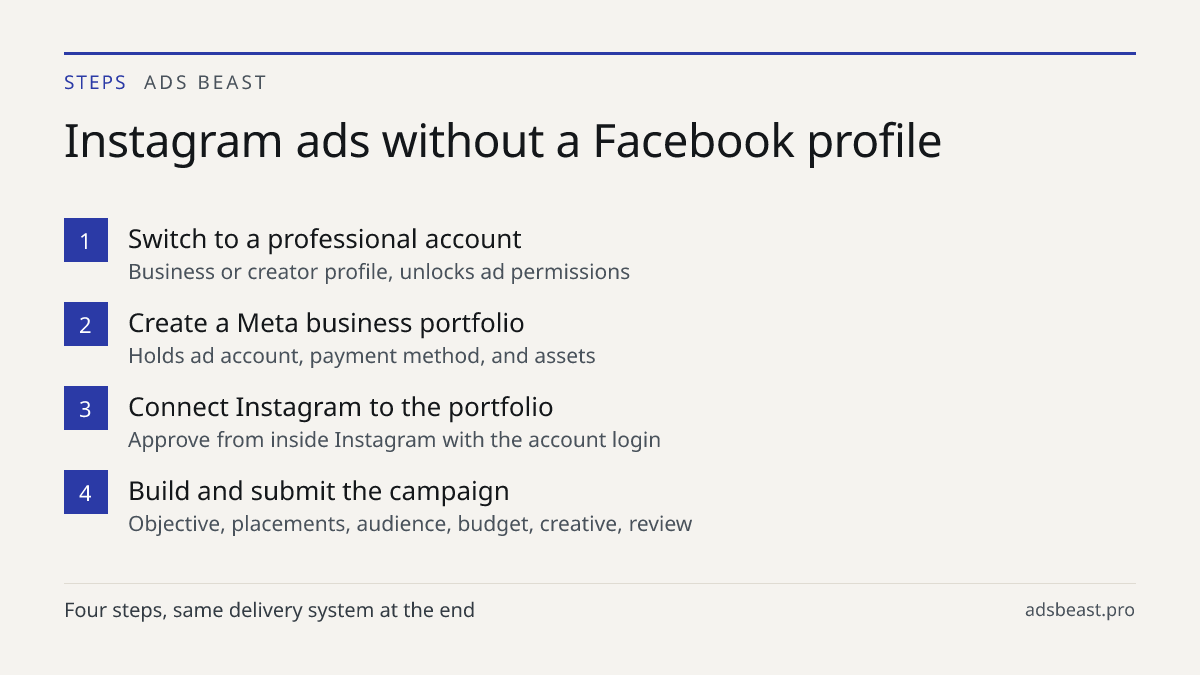
Convert the profile, connect it, build the campaign, submit it. The order matters, because a personal Instagram account cannot be used as an ad identity and cannot be connected to a business portfolio in that state.
- Switch your Instagram profile to a professional account. Business or creator both work. This unlocks the account-level permissions that ad tools need.
- Create or join a Meta business portfolio. This is the container that holds your ad account, payment method, and connected assets.
- Connect the Instagram account to the portfolio. Approval happens from inside Instagram, so keep the login handy.
- Create an ad account and add a payment method. Budget limits and available currencies depend on your country and payment method.
- Build the campaign. Choose one of the six objectives Meta currently offers: awareness, traffic, engagement, leads, app promotion, or sales. The old Conversions and Messages objectives are gone.
- Set audience, placements, budget, and creative. Placements include Instagram feed, Stories, Reels, and Explore.
- Submit for review. Meta says most ads are reviewed within 24 hours, though some take longer.
If you also run Facebook placements from the same account, the workflow is identical and the difference is only in the placement selection. The mechanics of how to run Facebook and Instagram ads together are covered in a separate guide, and the short version is that one campaign can serve both.
What are the limits of running Instagram ads without Facebook?
The limits are real, and they show up at three points: identity, tooling, and measurement.
Identity. Some objectives and formats expect a Page as the ad's source. If your tool cannot use a professional Instagram account as the identity, you will be asked to create a Page before the campaign can go live. Ask the vendor this question before you build anything.
Tooling. A platform that only speaks the Facebook Marketing API without Instagram support cannot place your ad on Instagram at all. The Instagram Graph API is the connection that makes an Instagram-first workflow possible, and it is the same interface Meta's own ad products use.
Measurement. Your pixel and conversions setup does not care which interface created the campaign, but it does care whether events are deduplicated correctly. Meta matches pixel and Conversions API events by event name and event_id; there is no toggle for it. If you are comparing two sources of the same purchase, check the event setup before you trust the totals.
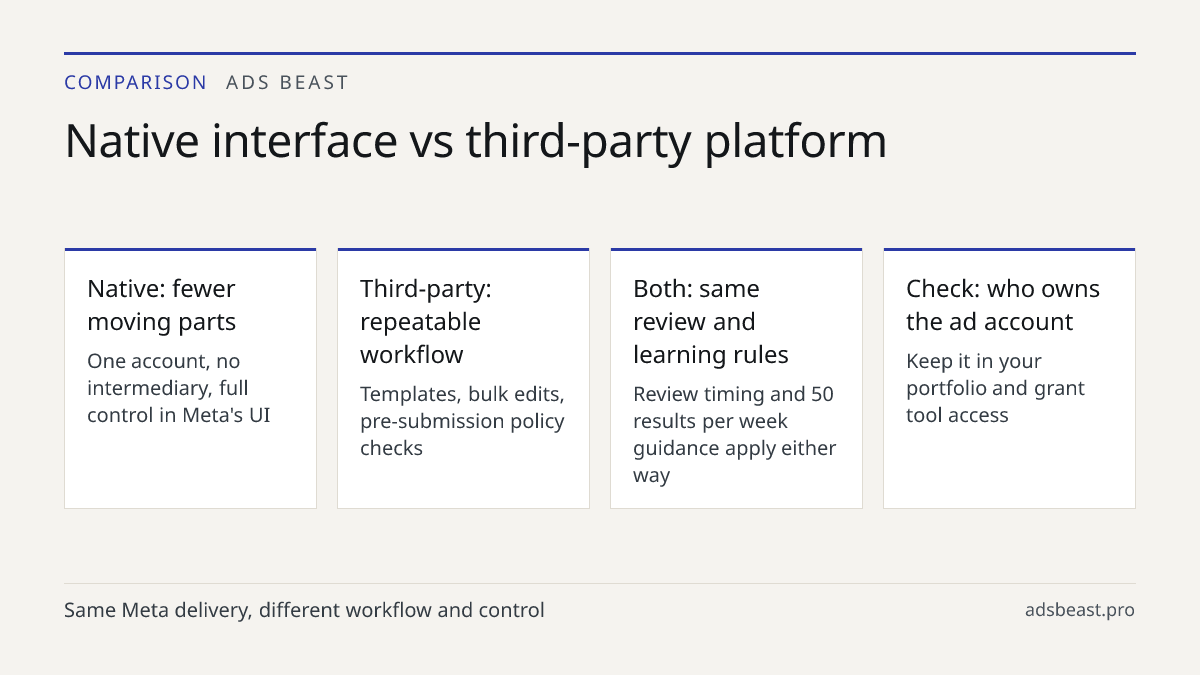
Budget and pacing behave the same as anywhere else in Meta. There is no published dollar minimum in Meta's help center. The minimum depends on your country, currency, objective, and payment method, and Ads Manager warns you if the number you enter is below the threshold for your setup. If you want to exit the learning phase, Meta recommends aiming for around 50 results per week after your last significant edit.
Can you run sponsored Instagram ads without a Facebook Page?
In most setups, no, and in some third-party setups, yes. Instagram ads are bought through Meta's advertising system, so you need a Meta business portfolio and an ad identity. That identity can be a linked Facebook Page or a professional Instagram account, depending on what the tool supports.
If you have no Facebook presence at all, the honest answer is that you should verify with your chosen tool before committing. Ask specifically whether it supports a Facebook-free setup, which API it connects through, and what happens if Meta requires a Page for the objective you want. Vendors who have done this before will answer in one sentence. Vendors who have not will describe the general benefits of their platform.
This is also where how to run a sponsored ad on Instagram differs from how to run a boosted post. Boosting from the Instagram app is the simplest path, but it gives you fewer controls over audience, placements, and budget than a campaign built in Ads Manager or a third-party tool. If you only need reach on one post, boosting is fine. If you need repeatable campaigns, build them properly.
What changes when you use a third-party ads platform?
You get a different interface over the same delivery system. A third-party platform connects to your ad accounts, prepares campaigns, and pushes them into Meta. The advantage is workflow: templates, bulk edits, cross-channel reporting, and checks that run before submission.
Check what the tool actually controls. Some platforms create campaigns live the moment you click. Others create them paused and wait for your confirmation before spending starts. The second pattern is safer when you are learning a new channel, because you can inspect the campaign in Meta's interface before it goes out.
Ad copy review is another practical difference. Meta rejects ads for policy reasons, and a tool that checks your text against platform rules before submission saves a review cycle. That check is not a guarantee of approval, because Meta makes the final call, but it catches the obvious problems early.
If you want to see how a campaign gets assembled with AI assistance, including the pause-before-launch step, the AI campaign setup page walks through it. The same logic applies whether the destination is Instagram, Facebook, or both.
How do you choose between the native route and a tool?
Pick the native route if you run one account, want no intermediary, and are comfortable inside Meta's interface. Pick a tool if you manage several accounts, need cross-channel reporting, or want a review step before campaigns go live.
The decision usually comes down to volume and repetition. One campaign a month does not justify another subscription. Ten campaigns across several clients does, because the cost of manual setup and manual error grows faster than the tool cost.
Two things to watch either way. First, confirm that Instagram is a supported channel in the tool, not an afterthought. Second, confirm who holds the ad account. If the tool creates the account under its own business portfolio, you may lose access to the history, the pixel, and the audience data if you leave. Your ad account should sit in your portfolio, with the tool granted access to it.
For a broader view of how paid and organic traffic reinforce each other, the piece on SEO and Google Ads working together explains the same principle that applies here: the paid channel performs better when the destination and the account history are yours.
What does a Facebook-free Instagram ads workflow look like end to end?
It looks like any other Meta campaign, with the Instagram account in the identity slot. Here is the sequence in practice.
You convert the profile to professional. You create the business portfolio and connect the account. You create the ad account, add payment, and confirm the currency and country settings. You build the campaign with one of the six objectives, choose Instagram placements, set the audience and budget, and load the creative. You submit. You wait for review, which Meta says usually finishes within 24 hours. You check the ad status in Ads Manager, and if something is rejected you edit and resubmit or request a review.
After launch, the work is the same as any other campaign: watch delivery, watch cost per result, and avoid significant edits while the learning phase is still settling. Meta's guidance is to aim for around 50 results per week after your last significant edit if you want the system to stabilize.
If you also advertise in other channels, the reporting question becomes how to compare them honestly. The overview of programmatic ad buying covers how automated buying changes the way you read performance across platforms. For Instagram specifically, the constraint is not the buying method. It is the identity and the connection.
When Instagram ads are not the right first channel
If your audience is local and searches for you by name, search ads usually convert better per dollar than feed placements. A clinic, for example, gets more from people actively looking for a dentist than from interruption-based feed ads, which is why the breakdown of dental social media advertising for local clinics treats social as a supporting channel rather than the primary one.
If your product needs a long explanation before purchase, feed ads carry the click but the landing page carries the sale. If your budget is small, one channel done properly beats three channels done partially.
Instagram works best when the product is visual, the audience is already on the platform, and you can produce creative regularly. If none of those are true, fix the creative pipeline before you fix the ad account.
What to do next
Decide which identity your ad will run under, then verify that your chosen tool supports it. If you already have a professional Instagram account, connect it to a business portfolio first, because every path after that depends on it. If you are evaluating tools, ask each vendor the same three questions: which API do you connect through, can the ad identity be an Instagram account, and who owns the ad account. The campaign setup walkthrough shows what the pause-before-launch workflow looks like if you want to compare it against the native interface.