
Shopify Advertising: Why Product Feeds Beat Ads
How Shopify product feeds outperform paid ads: what data drives Shopping results, how to sync your catalog to Google and Meta, and what to fix when items get rejected.
ADS Beast editorial teamPublished 10 min read

Shopify advertising works best when the product feed does the heavy lifting, not the ad copy. A feed lists what you sell with price, availability and variant details, so it can appear where people already compare products. Ads interrupt someone with a message. A feed answers a search that is already specific.
In short:
- A product feed carries structured facts about each item; an ad carries a message. Facts match demand, messages create it.
- Feed performance depends on catalog quality, data completeness and whether your product pages convert the traffic.
- Most feed failures are missing identifiers, price mismatches and merged variants, not platform rejections.
- Google and Meta both sync Shopify catalogs through native sales channel apps, then review the submitted data.
What does a Shopify product feed do that an ad cannot?
A Shopify product feed is a structured file of your catalog: identifiers, titles, prices, availability, images and variant structure. It lets a platform match each item to a specific search or product comparison. An ad pushes a creative to an audience you define. The feed waits for demand that already exists.
That difference matters for how money gets spent. When someone searches for a product by name, model or category, a feed entry can appear as a listing next to other sellers. The buyer is comparing, not browsing. Your price, stock status and image do the persuading. The ad creative barely enters the picture.
This is why feed-driven Shopify advertising often looks cheaper per result than campaign-driven advertising. You are not paying to interrupt a stranger. You are paying to be present at the moment of comparison. Whether that turns into revenue still depends on your product page, your pricing and your shipping terms.
There is a second effect. Feed data is reusable. The same catalog can serve Google Shopping surfaces, Performance Max, Meta catalog ads and shop placements without rewriting creative for each. Ads need separate concepts per platform and per audience. The feed needs one accurate record per product.
Where do feed-driven Shopping results actually appear?
Feed items appear on Google in Shopping tab listings, product listing results and Performance Max campaigns that use the feed. On Meta, catalog items appear in Advantage+ catalog ads and shop placements. Eligibility depends on the platform's current formats and your account setup.
Confirm placement inside each ads interface rather than assuming. Formats change, and a surface available to one account may not be open to another based on category, country or account history.
For Google, the feed is the entry ticket to product-level advertising. Without a feed, you can still run search and display campaigns, but you lose the comparison surfaces where product data is the whole message.
For Meta, the catalog powers dynamic retargeting and prospecting formats. If the catalog is thin or wrong, those formats either do not run or show the wrong item to the wrong person.
How do you connect a Shopify catalog to Google or Meta?
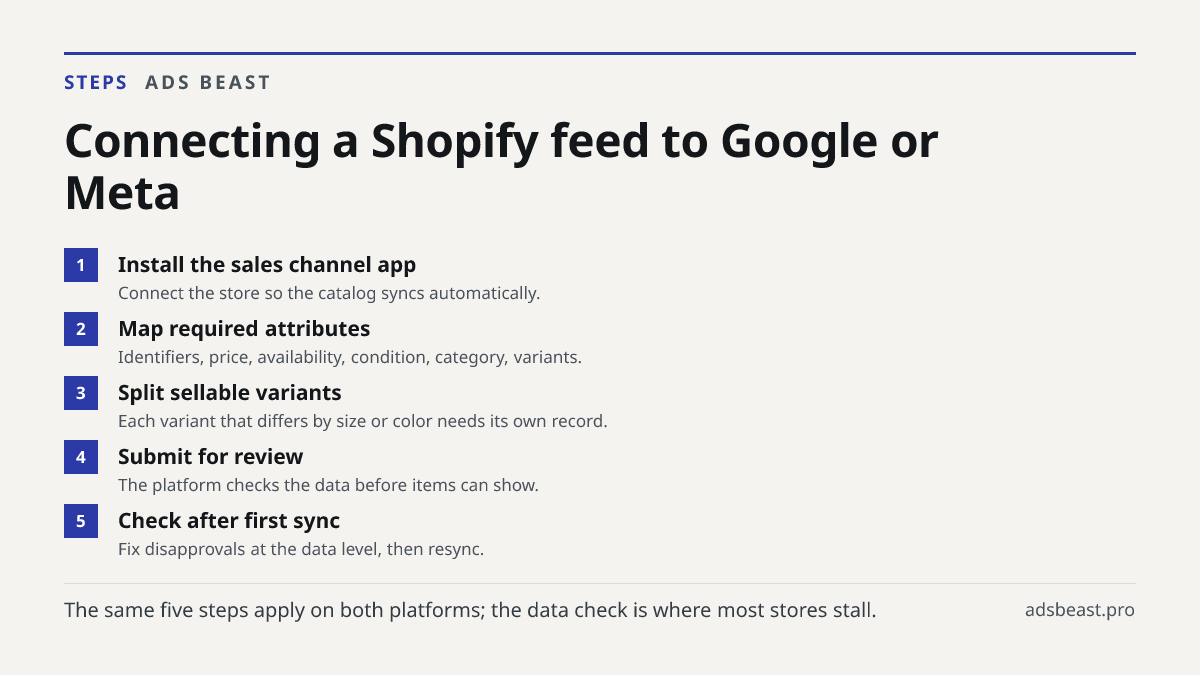
Shopify has native sales channel apps for Google and Meta that pull your catalog and keep it synced. You connect the store, map the product data the platform requires, and submit the feed for review.
The practical sequence looks like this:
- Install the platform's sales channel app in Shopify and connect the store.
- Map the required product attributes: identifiers, price, availability, condition, category and variant structure.
- Decide how variants are represented. Each sellable variant needs its own record if it differs by size, color or pack size.
- Submit the feed for review and check the result after the first sync.
- Fix disapprovals at the data level, not by resubmitting the same file.
The last step is where most stores stall. A rejection is usually a data problem: a missing identifier, a price that does not match the landing page, or a variant collapsed into one item. Resubmitting without changing the data produces the same rejection.
If you run several channels, the same catalog discipline applies across them, and the compliance checks differ by platform. The ad compliance checks page covers how ad text and data get validated against platform rules before submission.
What product data matters most in a feed?
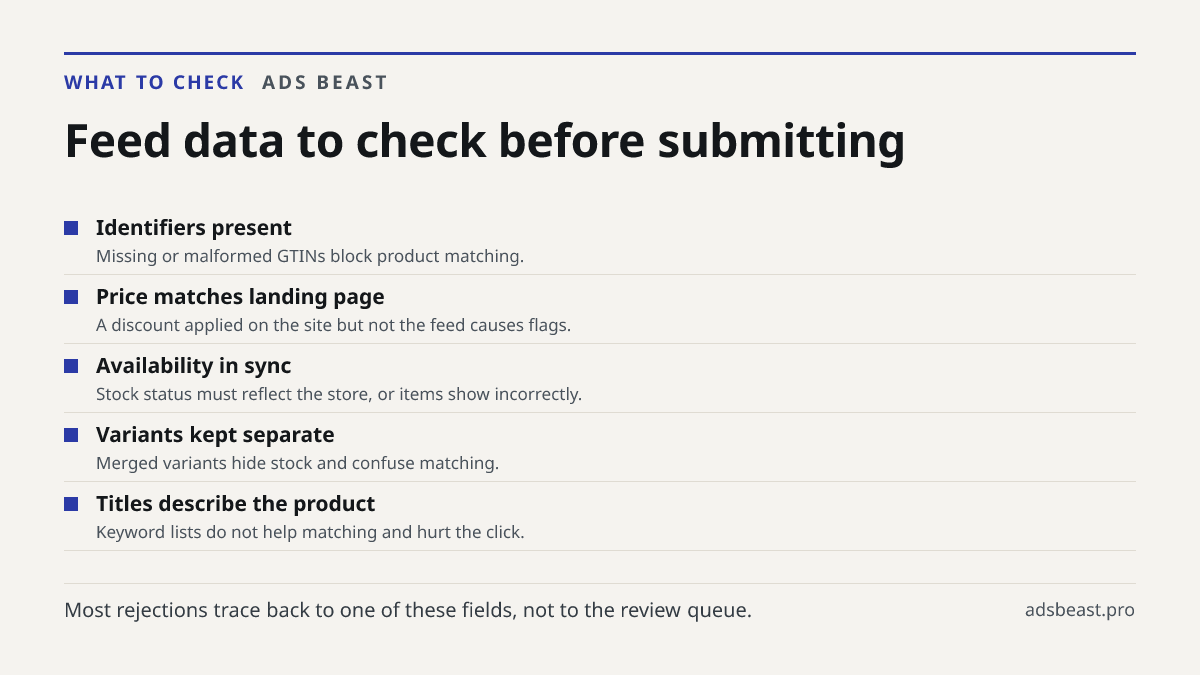
Identifiers, price, availability and variant structure decide whether an item can be matched and shown correctly. Titles and descriptions need to describe the actual product, not repeat keywords.
Break it down by what each field does:
| Field | What it controls | What goes wrong |
|---|---|---|
| GTIN or other identifier | Whether the platform can match your item to a known product | Missing or malformed identifiers block matching |
| Price | Whether the listing shows and stays eligible | Feed price differs from the landing page price |
| Availability | Whether the item is shown at all | Stock status out of sync with the store |
| Variant structure | Whether the right size or color appears | Variants merged into one item |
| Title and description | Whether the item is understood and clicked | Keyword stuffing instead of product facts |
| Image | Whether the listing looks credible next to competitors | Low resolution or wrong product shown |
Most feed errors come from missing GTINs, price mismatches between feed and landing page, and variants merged into one item. These are boring failures with expensive consequences: the item either does not show or shows in a way that gets skipped.
Titles deserve their own note. A title that reads like a keyword list gets ignored by shoppers comparing five similar listings. A title that names the product, its key attribute and its size or model gets understood. The platform reads structure; the shopper reads clarity.
Why does feed data beat ad creative in Shopping surfaces?
In Shopping surfaces the buyer has already decided what category they want. The decision left is which listing. Price, image, availability and title settle that decision faster than any ad headline. Creative matters more in feeds of social content, where attention is being captured rather than directed.
This is the core of the argument for feed-first Shopify advertising. You are competing on product facts in a place built for comparison. A strong ad concept cannot fix a listing that shows the wrong price or a product image that does not match the query.
There is a limit. Feeds do not create demand. If nobody searches for your category, a feed has nothing to answer. Ads and content carry that job. The best Shopify advertising setups use both: feeds to capture existing demand at the comparison stage, ads to build demand where none exists yet.
Whether feeds actually beat ads for your store depends on your catalog, how complete the feed data is, and whether your product pages convert the traffic. A perfect feed pointing at a page that does not close the sale produces clicks and no revenue.
How long does approval take, and what do you do while you wait?
Google Ads reviews most ads within one business day, and a product feed goes through a similar check. Meta reviews most ads within 24 hours, though some take longer. If items stay disapproved, the cause is usually the feed data or the landing page, not the review queue.
Waiting is not idle time. Use it to audit the catalog against the platform's requirements, compare feed prices to landing page prices, and confirm that every sellable variant has its own record. Stores that fix data before submission spend less time in review cycles.
When a rejection arrives, read the reason as a data diagnosis. The platform is telling you which field failed. Fix that field, resync, and check again. Repeated rejections on the same item usually mean the landing page and the feed disagree about something the platform compares directly.
What does feed-first Shopify advertising cost, and what drives it?
There is no fixed price for feed-driven advertising. Google Ads has no fixed minimum budget, and Meta's minimum depends on country, currency, objective and payment method, with Ads Manager warning when a budget falls below it. Your cost comes from what you bid, how competitive your category is, and how efficiently the feed converts.
Build your own number from three parts:
- Cost per click in your category. This varies by product type and competition. Check it in your own account history rather than assuming an average.
- Conversion rate on your product page. The feed brings the visit; the page closes it. A weak page raises the real cost per sale regardless of click price.
- Return per order. Margin after product cost, shipping and returns decides whether the click price is affordable.
Clicks alone do not tell you whether advertising is efficient. A high click price can be fine on a high-margin product and ruinous on a thin one. Judge the feed by cost per order against margin, not by click volume.
If you want to see where spend is going before scaling, an account audit by schedule shows cost per acquisition, click and impression costs next to budget pacing, so you can compare channels on the same terms.
Which mistakes make a feed underperform?
The most common mistakes are structural, not creative. They repeat across stores because they come from how catalogs get built, not from how campaigns get set.
- Treating the feed as a copy of the website. A feed needs fields the website never displays: identifiers, condition, category mapping.
- Ignoring variants. A shirt in five sizes is five sellable items if availability differs. Merging them hides stock and confuses matching.
- Letting prices drift. A discount applied on the site but not in the feed creates a mismatch the platform flags.
- Keyword-stuffing titles. It does not help matching and it hurts the click.
- Skipping the post-sync check. The first sync is where missing fields surface. Stores that never look find out through lost impressions.
Fixing these is unglamorous work. It also tends to move results more than another round of ad creative, because it removes the reasons a listing fails to appear.
Where does free Shopify advertising fit?
Free Shopify advertising usually means the unpaid surfaces a store already has: organic product listings, free shopping placements where a platform offers them, and the catalog itself when it feeds organic results. These do not replace paid campaigns, but they reward the same data discipline.
A complete, accurate feed improves your odds on free surfaces too, because those surfaces read the same product data. Stores looking for free advertising on Shopify get the most from fixing identifiers, prices and variants before spending anything. The catalog work is the same whether the placement is paid or free.
If you are comparing paid channels, the same logic about matching demand applies beyond Shopping. Search and social platforms differ in how they handle review and policy, and the requirements are worth reading before you commit budget. The full list of Meta ad requirements and policies is a useful reference for what gets checked.
What should you do next?
Audit your catalog before you touch a campaign. Export the feed, check identifiers, prices and variant structure against your store, and fix what disagrees. Then resubmit and watch the first sync. That single pass usually explains more about performance than any change to ad copy.
If you run multiple channels and want the data checked against each platform's rules before submission, start with the compliance features and see what gets validated automatically.