
How to Promote Your Instagram Page: Free and Paid Methods
Learn how to promote your Instagram page with organic tactics and paid ads, how to pick objectives and budgets, and where else to run your campaigns.
ADS Beast editorial teamPublished 9 min read
You promote an Instagram page in two ways: organic work that costs time, and paid ads that cost money. Organic means Reels, replies, links in bio and Stories, and collaborations. Paid means Meta Ads Manager, where you pick one of six objectives and set a budget. Most accounts need both running at once.
In short:
- Reels reach people who don't follow you yet, so they do most of the free work.
- Ads Manager has six objectives: awareness, traffic, engagement, leads, app promotion, sales.
- Meta sets no fixed minimum budget. It depends on your country, currency, objective, and payment method.
- An ad needs roughly 50 results in a week to leave the learning phase. Small budgets stall there.
- Cross-posting to TikTok, YouTube Shorts, Google Ads, LinkedIn, and Telegram Ads widens reach beyond Instagram.
How to promote your Instagram page for free
Free promotion on Instagram runs on Reels, comments, Stories, and collaborations, in that order of effort to payoff. Instagram pushes short video to people who don't follow you yet, which is the only free surface inside the app that reliably reaches strangers. Everything else mostly serves the audience you already have.
Start with Reels
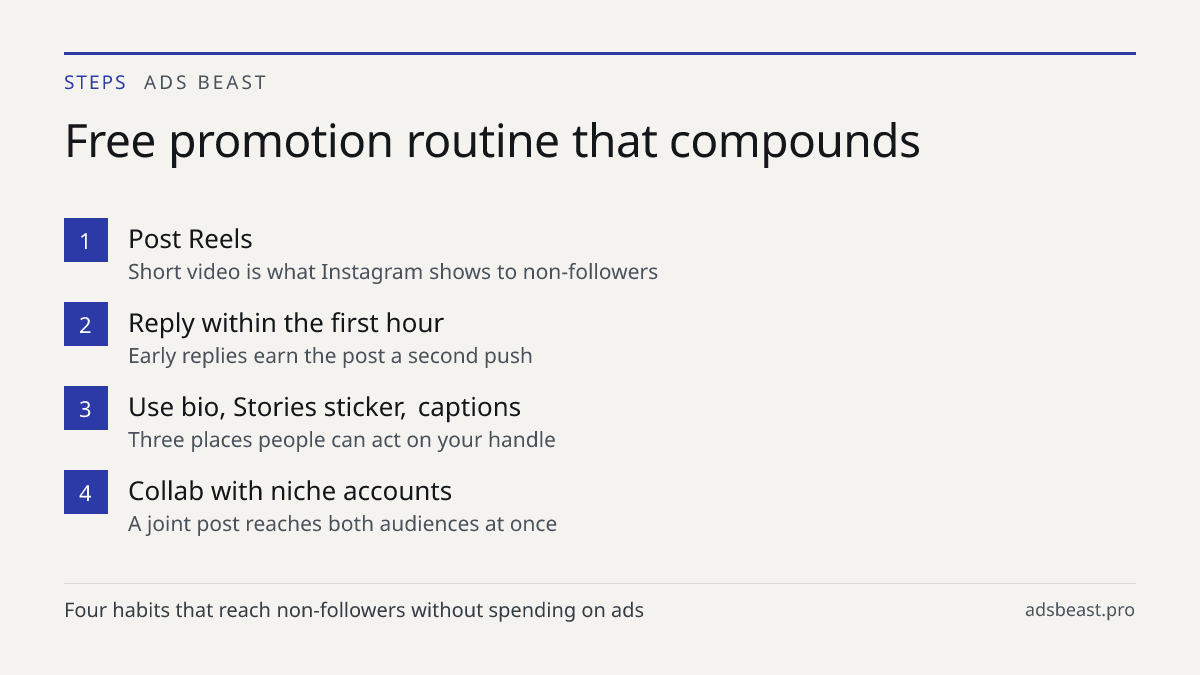
Post Reels consistently. A Reel that gets watched to the end and rewatched gets shown to more non-followers, and that is where new profile visits come from. Keep them short, put the point in the first seconds, and use a caption that tells people what they just watched.
One practical habit: reply to comments on your own posts within the first hour. Early replies pull the post back into feeds and give you a second chance at reach. It also gives people a reason to come back to the post.
Use every slot Instagram gives you
Your bio link, the link sticker in Stories, and your handle in every caption are three places people can act on. The link sticker is the one most accounts forget: a Story with a sticker gets taps that a plain Story does not.
Put your handle in the caption even when it looks redundant. When someone reposts your content, their audience sees the handle and can find you. That is how free reach compounds.
Collaborate with accounts in your niche
A joint post reaches both audiences at once. Find accounts your size, not bigger ones, and propose a specific format: a shared Reel, a carousel with two voices, a live. Vague "let's collab" messages get ignored; a finished idea gets an answer.
Collabs also work as a trial run for paid promotion later. If a partner's audience responds to your content organically, that partnership is a candidate for a paid boost.
How to advertise your business on Instagram with paid ads
Paid promotion on Instagram happens inside Meta Ads Manager. You choose one of six campaign objectives, define the audience, set a budget, and let the system deliver. The objective you pick decides what the system optimizes for, and that single choice explains most of the difference between campaigns that sell and campaigns that only collect likes.
The six objectives and what each one buys
| Objective | What the system optimizes for | When to use it |
|---|---|---|
| Awareness | Reach and impressions | Launching a brand nobody knows yet |
| Traffic | Clicks to a destination | Sending people to a site, catalog, or profile |
| Engagement | Likes, comments, shares, messages | Growing a page and its social proof |
| Leads | Form fills and contact details | Collecting contacts before a sale |
| App promotion | Installs and in-app events | Mobile apps |
| Sales | Purchases and other conversions | Selling a product or service directly |
Meta no longer offers a separate "Conversions" or "Messages" objective. Those jobs now sit inside the objectives above, so don't go looking for them in the old place. There is also no "20% text rule" anymore, so a creative with more text is not automatically rejected.
How to set a budget without guessing
Meta does not publish a fixed minimum budget. The minimum depends on your country, your currency, the objective, and your payment method, and Ads Manager warns you when the number you entered is below what the system needs. If you drop below that line, the campaign may never leave the learning phase.
The learning phase is the period when the system is still testing delivery. Meta describes it as ending after about 50 results in a week following your last significant edit. That gives you a working rule: estimate what one result costs for your offer, multiply by fifty, and treat that as the weekly floor for one ad set. If that number is beyond your budget, run fewer ad sets rather than spreading the same money across many.
For how costs behave across objectives and placements, see targeted advertising cost on Instagram and Facebook.
How long review takes and what to do while you wait
Most ads are reviewed within 24 hours, though some take longer. You can check the status in Ads Manager. If an ad is rejected, edit it and send it back for review instead of duplicating it. Don't schedule a launch for the same hour you submit the ad.
Why an ad can spend without producing sales
Usually the objective doesn't match the goal. Traffic and engagement campaigns buy clicks and likes, not purchases. If you want sales, switch to the sales objective and check that your pixel fires correctly.
Cost also depends on audience size, country, placement, and how competitive your niche is that week. Test a few creatives and audiences rather than judging one ad, and give each version enough budget to exit the learning phase. One ad that failed tells you almost nothing; five ads with a clear pattern tell you what to change.
If you want the setup work handled in one place, AI campaign setup is where campaigns get prepared and held for your approval before anything goes live.
What paid promotion on Instagram costs and what drives the price
There is no list price for Instagram ads. You are bidding in an auction, so the price of a result is set by competition at the moment your ad is shown. What you control is the inputs.
The main drivers:
- Country and currency. The same objective costs different amounts in different markets.
- Audience size and specificity. Very narrow audiences and very broad ones both raise cost per result, for different reasons.
- Placement. Feed, Stories, Reels, and the rest are priced separately by the auction.
- Season. Competition in your niche rises and falls through the year.
- Creative quality. Ads people engage with get cheaper delivery than ads they scroll past.
Because of this, the honest way to price your campaign is to run a small test, read the cost per result, and build your weekly budget from that number. Anyone quoting a universal cost per click is quoting their own market, not yours.
How to promote your business on Instagram beyond ads
Ads are one channel. The same creative usually works on several platforms with small changes, and each platform brings a different audience.
Cross-post your Reels to TikTok and YouTube Shorts. Vertical short video travels well between them, and the audiences overlap less than people assume. If your buyers are businesses, LinkedIn and Microsoft Advertising reach them where they actually spend the day; LinkedIn has a minimum daily budget of 10 USD and a minimum audience of 300 people, with 50,000 recommended for reliable delivery. Google Ads search campaigns catch people already looking for what you sell, and Google Ads has no fixed minimum budget. Telegram Ads is another option, with ad text capped at 160 characters.
Adapt the creative instead of uploading the same file everywhere. A Reel that works on Instagram may need a different hook on TikTok, and a search ad needs words, not video. For the wider set of no-cost channels, see free advertising for small business: where to post. If you run TikTok as well, how to duet on TikTok covers a format that borrows another account's audience.
Free vs paid promotion: which to run first
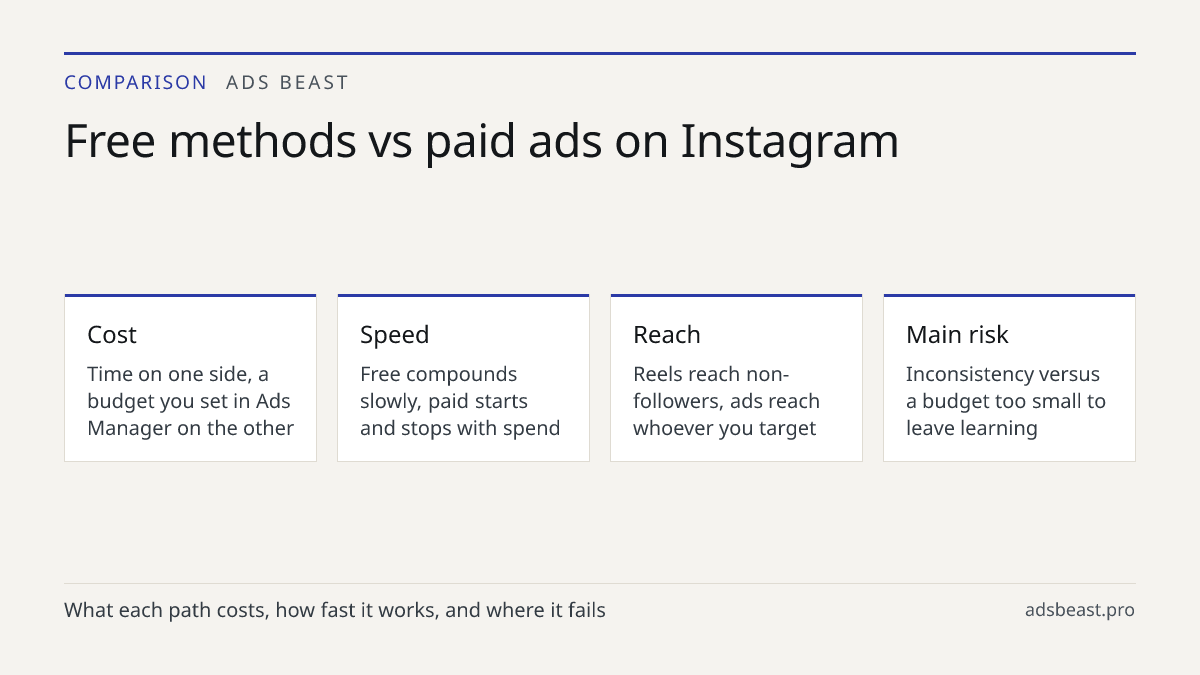
Run both, but not with the same expectations. Free methods build the asset, the page itself, and paid methods buy reach on top of it. An account with no content and no replies converts paid traffic badly, because people who click through find nothing to follow.
| Free methods | Paid methods | |
|---|---|---|
| Cost | Time | Budget you set in Ads Manager |
| Speed | Slow, compounding | Immediate, stops when you stop paying |
| Reach | Mostly non-followers via Reels | Whoever you target |
| Best for | Building the page and its proof | Sales, leads, launches |
| Main risk | Inconsistency | Budget too small to leave learning phase |
A workable sequence: publish Reels until you know which format your audience responds to, use that format as your first ad creative, and put your paid budget behind the version that already worked for free.
Common mistakes that waste free reach and ad budget
The same three mistakes show up in most accounts, and all three are visible before you spend anything.
- Posting only static images. Without Reels, non-followers rarely see the page at all.
- Ignoring comments in the first hour. The post loses the second push that early replies would have earned.
- Running a sales campaign with a traffic objective. The system delivers exactly what you asked for, and you get clicks instead of orders.
Two more that cost money rather than reach: spreading a small budget across many ad sets so none of them reach the learning phase, and judging a campaign after one creative. Both look like "ads don't work" and are actually setup problems.
Next step
Pick one thing and do it this week. If your page is new, post three Reels and reply to every comment within the first hour. If you already have content that performs, put a small budget behind that exact creative with the sales objective, and let it run long enough to leave the learning phase before you judge it. When you are ready to build the campaign itself, start from a prepared setup and review it before launch.