
How to Make Ad for Instagram: Creatives and Posts That Run
Learn how to make ad for Instagram and Facebook step by step: sizes, goals, budgets, creative rules, rejection fixes, and the Promote vs Ads Manager choice.
ADS Beast editorial teamPublished 10 min read
You can make an ad for Instagram in two ways: tap Promote under any post or story in the app, or build the campaign in Meta Ads Manager. Promote takes about two minutes and suits simple goals. Ads Manager takes longer but gives you placements, split testing, and detailed targeting that the app does not expose.
In short:
- Promote and Boost run from the Instagram app and start at $1 per day.
- Ads Manager runs Instagram and Facebook from one dashboard with full targeting.
- Feed images work at 1080 x 1080 px or 1080 x 1350 px; Stories and Reels at 1080 x 1920 px.
- Most rejections come from text-heavy images, before-and-after photos, and restricted categories.
- Video under 15 seconds finishes more often than longer cuts.
What you need before you make an ad on Instagram
A professional account and a payment method are the two hard requirements. Switch to a professional account in the app settings, connect a Facebook Page if you plan to run through Ads Manager, and add a card or another payment method in Meta Business Suite. Without a professional account the Promote button does not appear at all, which is the most common reason people think the feature is missing.
Decide on one goal before you touch any interface. Instagram asks you to pick between profile visits, website visits, messages, and sales, and the goal changes both the placement and the creative that performs. A profile-visit ad rewards a strong grid and a clear bio. A website-visit ad rewards a landing page that matches the promise in the caption. Choose the goal that matches what you actually want to happen after the tap.
How to make ad for Instagram with the Promote button
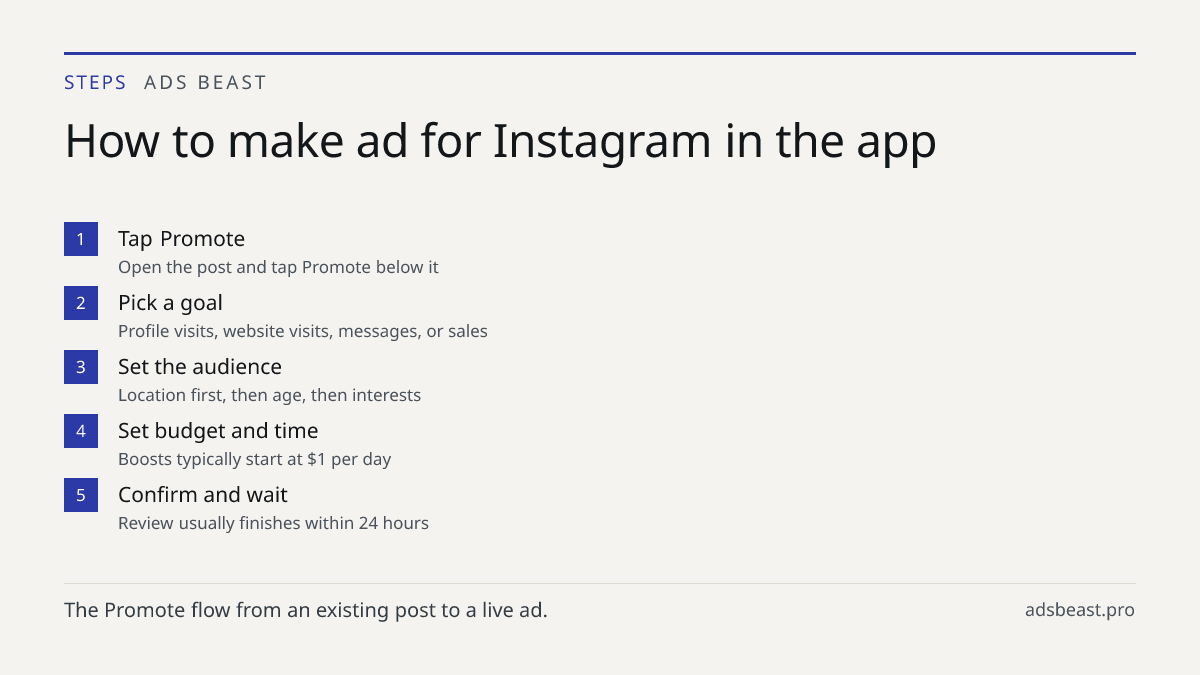
Promote is the fastest route and it lives inside the app. Open the Instagram app, switch to a professional account, and tap Promote under any post or story. Pick a goal such as More Profile Visits or More Website Visits, set your audience by location, age, and interests, choose the budget and duration, then confirm payment. The whole process takes about two minutes and the ad goes live once Meta reviews it, usually within 24 hours.
Step by step
- Open the post or story you want to push and tap Promote below it.
- Choose the goal: profile visits, website visits, messages, or sales.
- Set the audience: location first, then age, then interests.
- Set the budget and the run time. A typical boost starts at $1 per day.
- Confirm payment and wait for review, normally within 24 hours.
You can pause a boost anytime from the same menu, so a small daily budget is a reasonable way to test a creative before you commit more.
How to create Instagram ads in Meta Ads Manager
Ads Manager is the tool for anything beyond a single boosted post. Go to adsmanager.facebook.com, choose a campaign objective like Traffic, Engagement, or Sales, and set your budget at the campaign level. Select Instagram as a placement, upload your creative, write the primary text and headline, then publish. Ads Manager gives you detailed targeting and split testing that the in-app Promote button does not offer.
When the extra setup pays off
Ads Manager earns its complexity in three situations. You want to run Instagram and Facebook from one budget and compare them. You want to test two creatives against each other with a real split. You need audiences built from pixel events, customer lists, or lookalikes rather than interests alone. If none of those apply, Promote will get you live faster and cheaper in effort.
If you also run search, keep the two channels separate in your reporting so you can see which one actually closes. The same discipline applies to Google Ads setup: step-by-step guide for business, where campaign structure decides results long before the creative does.
Promote versus Ads Manager
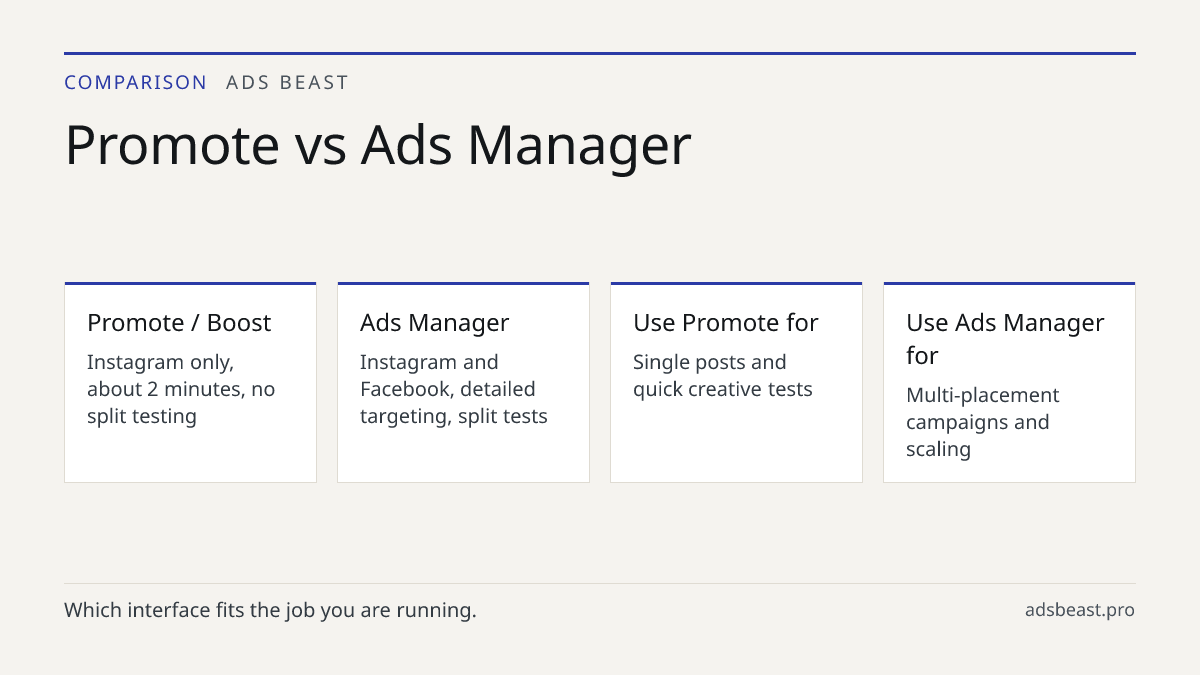
| Factor | Promote / Boost | Ads Manager |
|---|---|---|
| Where it runs | Instagram app | adsmanager.facebook.com |
| Setup time | About 2 minutes | Longer, depends on campaign structure |
| Placements | Instagram only | Instagram, Facebook, and more |
| Targeting | Location, age, interests | Detailed, pixel, lists, lookalikes |
| Split testing | Not available | Available |
| Best for | Single posts, quick tests | Multi-placement campaigns, scaling |
What size should Instagram and Facebook ad creatives be?
Feed images work best at 1080 x 1080 px (1:1) or 1080 x 1350 px (4:5), while Stories and Reels use 1080 x 1920 px (9:16). Facebook feed accepts the same 1:1 and 4:5 ratios, and video should stay under 15 seconds for the highest completion rate. Keep text under 20% of the image to avoid reduced reach.
Two practical notes on sizing. First, the 4:5 ratio takes more vertical space in the feed than 1:1, so it usually wins on impressions for the same budget. Second, never stretch one file across every placement. Shoot or export separate 9:16 and 4:5 versions and let each placement use the version built for it. Cropped text and cut-off faces are the fastest way to burn a budget on a creative that looks broken.
How to make ads for Instagram that people actually stop for
A creative earns attention in the first second or it does not. Lead with the product or the person, not with a logo card. Put the main promise in the first three words of the primary text, because the feed truncates the rest behind a "more" tap. Keep one idea per ad. When a creative tries to say three things, the viewer remembers none of them.
Match the creative to the goal. A profile-visit ad should show the range of what you sell, so the grid delivers on the promise. A sales ad should show one product with a price or an offer. A message ad should show a person or a screen, because the tap opens a conversation and the viewer needs to know what they are walking into.
Test one variable at a time. Change the image and keep the caption, or change the caption and keep the image. Changing both at once tells you that something worked but not what, and you will not be able to repeat it. If you want to scale creative production without shooting every variant by hand, how to create AI video ads and creatives that convert covers the workflow.
How to promote an Instagram post without wasting budget
Tap the Boost or Promote button below the post you want to push. Choose your goal, define the audience by location, age, and interests, then set the budget and run time. A typical boost starts at $1 per day and you can pause it anytime from the same menu.
The waste usually comes from the audience, not the creative. A radius that is too wide spends money on people who will never visit. An interest stack that is too narrow exhausts the audience in a day and the cost per result climbs. Start with location and age, run for a few days, and only then layer interests on top. If results are flat after that, the problem is the creative or the offer, and more budget will not fix either.
How do I create an ad on Instagram that survives review?
Most rejections come from too much text on the image, misleading claims, before-and-after photos, or restricted categories like crypto and weight loss. Meta reviews each ad automatically first, then manually if flagged, and you can appeal from Account Quality in Business Suite. Fixing the creative and resubmitting usually clears the issue within a few hours.
Read the rejection reason before you resubmit. "Too much text" means rebuild the image, not tweak the caption. "Misleading claim" usually means a promise you cannot substantiate, such as a guaranteed result or a specific income figure. Before-and-after imagery is restricted in health and beauty, so show the product or the routine instead of the transformation. If the rejection looks wrong, appeal from Account Quality rather than uploading the same file again, because repeated identical submissions slow the review down.
How to post ads on Instagram across both platforms
Run one campaign in Ads Manager with both Instagram and Facebook placements selected, then let the delivery system allocate budget where results are cheaper. Keep the creative set split by ratio, not by platform: 9:16 for Stories and Reels, 4:5 for both feeds. This gives you a single campaign to read and a clean comparison between the two networks.
Two things to watch when you combine placements. First, check the breakdown by placement after a few days and cut any placement that spends without converting. Second, keep the landing page consistent across both, because a viewer who taps from Facebook and lands on a page that says "Instagram offer" will bounce. The same logic applies to paid search, where Google Ad Words management: tools & automation guide covers how to keep budget flowing to the placements that pay.
If you would rather not build and test every variant by hand, how to make ad for Instagram with an AI campaign setup tool handles the creative variants, placement split, and budget allocation in one flow.
Next step
Pick one post that already performs organically and boost it today with a $1 daily budget for three days. That single test tells you whether the creative and the offer hold up before you spend anything serious. When you are ready to run Instagram and Facebook together with proper targeting and split testing, set up the campaign through AI platform for artificial intelligence ads management and read the placement breakdown before you scale. If Facebook is the next channel on your list, how do I create a Facebook ad: launch from scratch walks through the same campaign from the other side.
FAQ
How do you make an ad for Instagram?
Open the Instagram app, switch to a professional account, and tap Promote under any post or story. Pick a goal such as More Profile Visits or More Website Visits, set your audience, budget, and duration, then confirm payment. The whole process takes about 2 minutes and the ad goes live once Meta reviews it, usually within 24 hours.
How do you create Instagram ads with Meta Ads Manager?
Go to adsmanager.facebook.com, choose a campaign objective like Traffic, Engagement, or Sales, and set your budget at the campaign level. Select Instagram as a placement, upload your creative, write the primary text and headline, then publish. Ads Manager gives you detailed targeting and split testing that the in-app Promote button does not offer.
How do you promote an Instagram post?
Tap the Boost or Promote button below the post you want to push. Choose your goal, define the audience by location, age, and interests, then set the budget and run time. A typical boost starts at $1 per day and you can pause it anytime from the same menu.
What size should Instagram and Facebook ad creatives be?
Feed images work best at 1080 x 1080 px (1:1) or 1080 x 1350 px (4:5), while Stories and Reels use 1080 x 1920 px (9:16). Facebook feed accepts the same 1:1 and 4:5 ratios, and video should stay under 15 seconds for the highest completion rate. Keep text under 20% of the image to avoid reduced reach.
Why do Instagram and Facebook ads get rejected?
Most rejections come from too much text on the image, misleading claims, before-and-after photos, or restricted categories like crypto and weight loss. Meta reviews each ad automatically first, then manually if flagged, and you can appeal from Account Quality in Business Suite. Fixing the creative and resubmitting usually clears the issue within a few hours.